🖨️ Print Spooler Queue Cleanup#
A native Win32 utility that shows, pauses, purges and repairs the Windows print queue —
with a modern Fluent-style UI, tray integration, a built-in installer, self-update and
30 languages. One self-contained .exe, no .NET, no VC++ redistributable, no SDK required
on the target machine.
The pain it solves#
A print job that fails to render wedges the whole queue. The Print Spooler keeps
reporting Running, the job sits in Deleting… and everything behind it stalls — and
Windows offers no way out that keeps the healthy jobs:
Cancel does nothing — the job is stuck inside the spooler, not in the UI.
Restarting the Print Spooler service throws away every queued document, including
the forty healthy ones behind the bad job.Hand-deleting
C:\Windows\System32\spool\PRINTERSneeds an elevated console, a
stopped service and a steady hand: remove the wrong file and the driver's leftovers
wedge the queue again on the next print.
So people reboot, reinstall drivers, or call support — for what is really one poisoned
job.
This tool shows the queue and removes exactly what is stuck, backs the spool files up
before anything bulk happens, and puts them back in one click if the wrong thing went.
Screenshots#
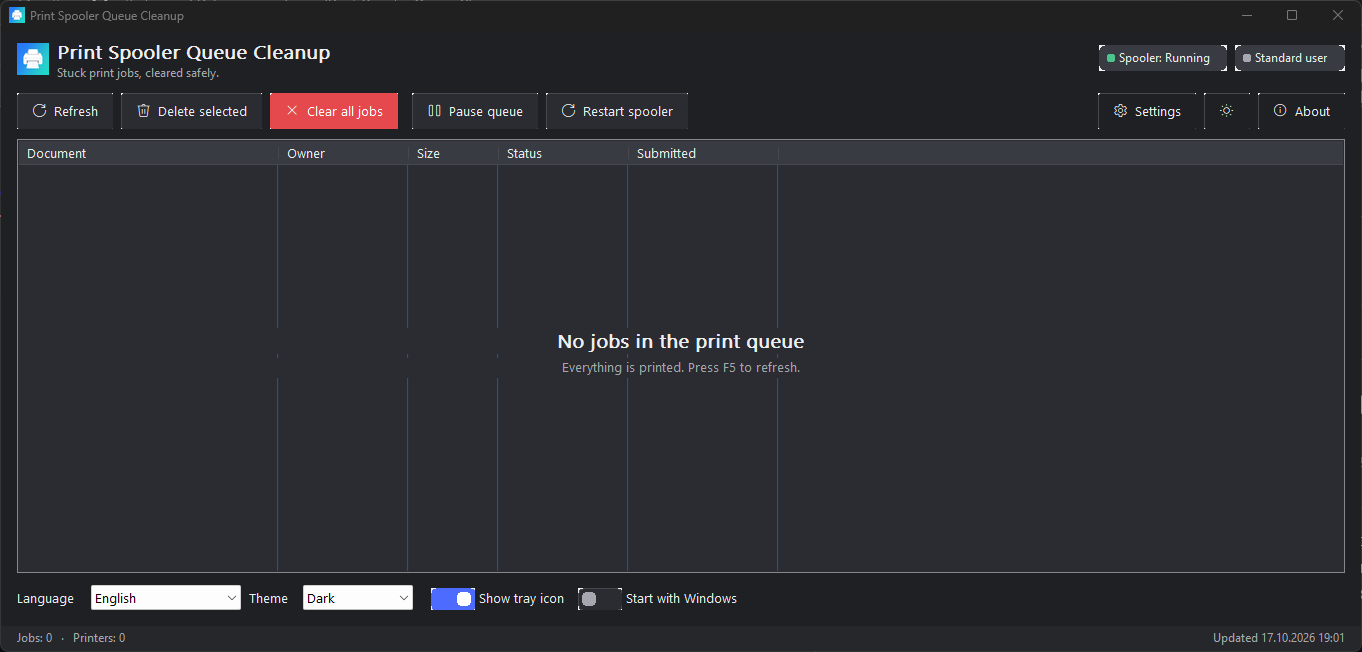
Dark theme
Light theme
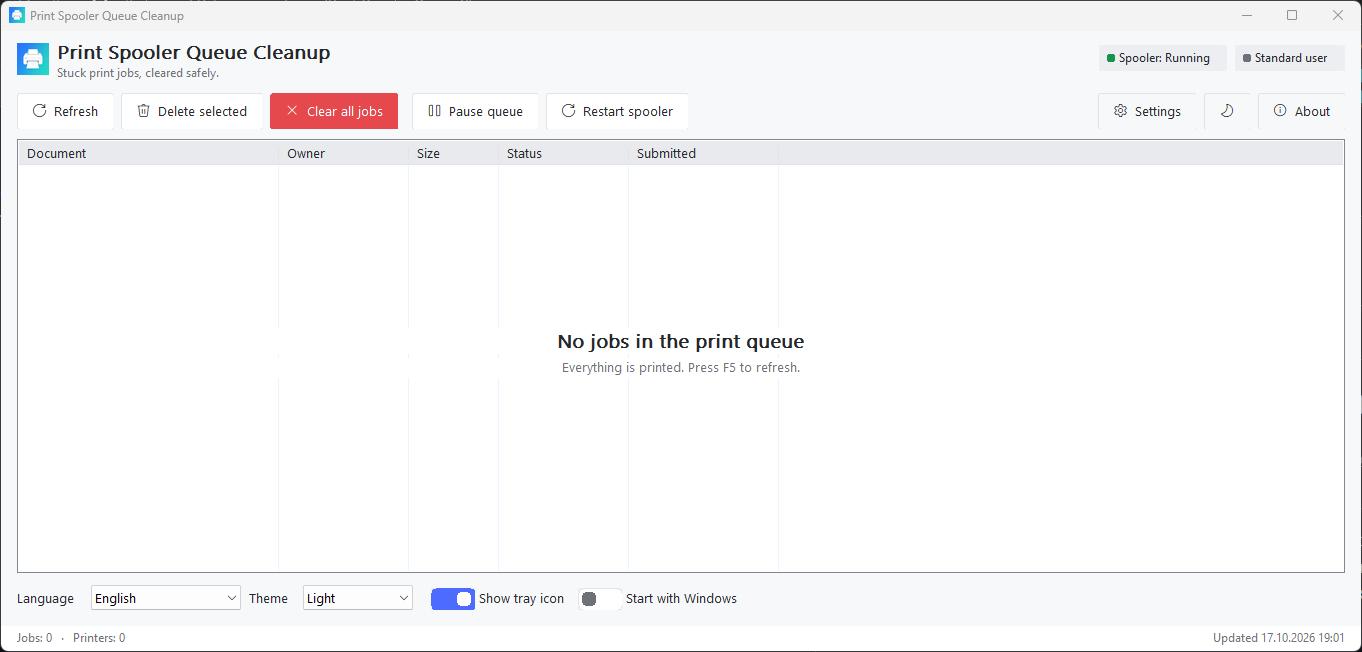
Both come from the settings row (Theme) or from /theme=dark|light; Follow system
picks up the Windows setting live.
What it does#
The Print Spooler keeps queued jobs as *.SHD / *.SPL files in
%SystemRoot%\System32\spool\PRINTERS. When a job cannot be rendered, a driver faults or a
port monitor blocks, the queue wedges: the service reports Running, jobs will not
cancel, and everything behind them stalls.
Print Spooler Queue Cleanup v5 gives you a safe, visual way out:
| Capability | How |
|---|---|
| Live queue view | All printers, grouped, with document, owner, size, status, submitted time; auto-refresh |
| Selective delete | Remove only the offending job(s), not 40 healthy ones |
| Clear everything | API purge first; if stubborn — guarded service restart + surgical file sweep (only *.SPL/*.SHD) |
| Undo insurance | Optional automatic backup of spool files before purge + one-click restore |
| Service control | Pause / resume queues, restart the Print Spooler service |
| Tray guardian | Live job counter in the tray menu, double-click to open, one-click purge |
| Self-update | GitHub Releases check (manual button + daily silent check), in-place replace |
| Built-in installer | First-run wizard: per-user / all-users, folder, shortcuts, autostart — or run once, no install |
| Themes | Light / Dark / Follow-system (auto-detect + live WM_SETTINGCHANGE reaction) |
| Languages | 30 UI languages, default = system UI language, RTL for Arabic / Hebrew / Persian |
Zero dependencies#
The shipped SpoolerCleanup.exe is statically linked and imports only DLLs that are
part of every supported Windows installation (kernel32, user32, gdi32, comctl32,
shell32, shlwapi, uxtheme, dwmapi, winspool.drv, winhttp, advapi32, ole32,
system msvcrt). There is no .NET, no VC++ runtime redistribute, no PowerShell,
no external installer engine — the installer, updater and uninstaller are built into the
same executable. Copy the exe anywhere and it runs.
Quick start#
Download
SpoolerCleanup.exefrom Releases (or build it, see BUILD) — the same binary is also on npm:npx print-spooler-queue-cleanup --help.Run it. On a new machine the setup wizard asks: install (for me / for all users, folder,
shortcuts, autostart) or run once without installing.The main window shows every queued job. Select → Delete selected, or Clear all jobs
for the full nuclear-but-safe path (with optional spool-file backup).The tray icon keeps the live counter: right-click → Print queue jobs: N.
Command line (for automation, same exe):
SpoolerCleanup.exe /purge            :: clear all queues, exit (code 0 ok, 2 = needs admin)
SpoolerCleanup.exe /list             :: print the job table
SpoolerCleanup.exe /status           :: spooler state + counters
SpoolerCleanup.exe /install /allusers /silent
SpoolerCleanup.exe /uninstall /silent
SpoolerCleanup.exe /tray /portable /lang=ru /theme=dark
Full reference: CLI & automation, user guide:
USER-GUIDE.
Install from npm#
npx print-spooler-queue-cleanup --help        :: run without installing
npm install -g print-spooler-queue-cleanup    :: or install the command
The package ships the same executable as the GitHub release (fetched from it at pack
time, so the two cannot drift) and is published by the release workflow through npm
trusted publishing, which attaches a provenance attestation. Windows 10/11 x64 only —
package.json declares os: win32.
Documentation#
| Document | Purpose |
|---|---|
| docs/USER-GUIDE.md | Every window, button, hotkey and setting |
| docs/INSTALL.md | Installer wizard, silent flags, portable mode, uninstall |
| docs/BUILD.md | Build from source (MSVC or MinGW), CI, tests |
| docs/MICROSOFT-STORE.md | MSIX packaging & Partner Center submission |
| docs/SMARTSCREEN.md | Why Windows may warn about a new .exe and how to make it stop |
| docs/MIGRATION-FROM-4.x.md | PowerShell v4 → native v5 feature map |
| Wiki / knowledge base | Deep dives: spooler internals, safety model, troubleshooting |
Safety model (inherited from v4, hardened in v5)#
Only
*.SPLand*.SHDinside the spool folder are ever touched — never other files.Locked files are retried, never force-deleted while the service runs.
Purge prefers the documented API path (
PRINTER_CONTROL_PURGE); the service restart +
file sweep only happens when jobs survive the API path.Optional backup of spool files before any bulk purge, with a restore dialog.
Elevation is requested only when actually needed (and only if you allow it in settings).
Requirements#
Windows 10 (1809+) or Windows 11, x64. Nothing else.
Administrator rights are required only for cross-user purge / service restart /
all-users install — the app runs fine as a standard user for your own jobs.
License & author#
Licensed under the PolyForm Noncommercial License 1.0.0.
Author: Mikhail Deynekin — icons@Deynekin.com — https://Deynekin.com —
repository.
The v4 PowerShell implementation is preserved under legacy/powershell/.